AMD BC-250 Build (Part 1): Parts List and Prep for a PS5-Silicon Linux Console
1. From Concept to Preparation
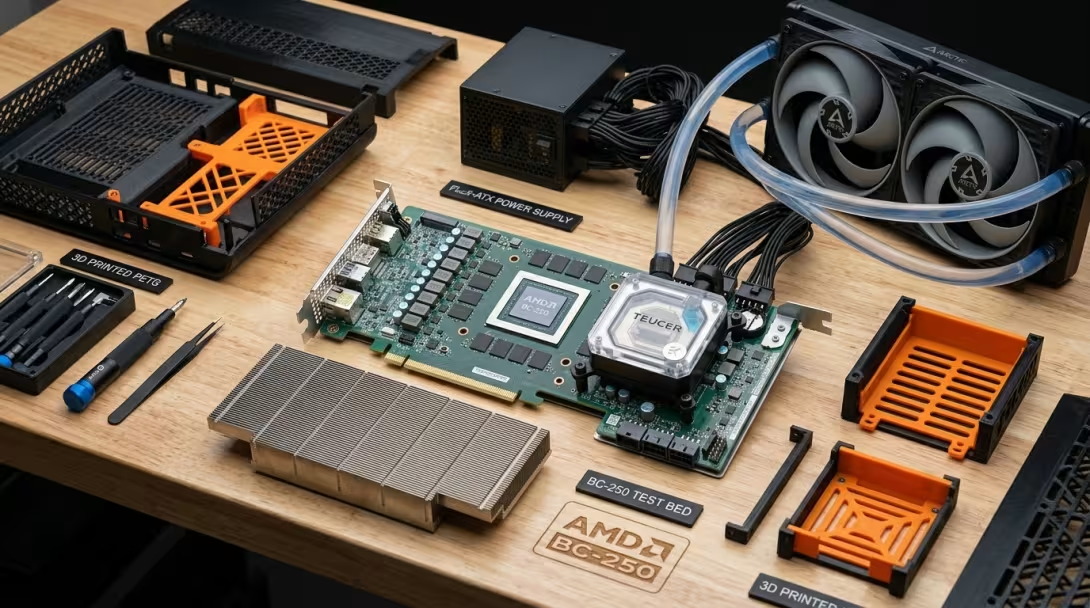
Following the background overview of the AMD BC-250's PS5 silicon, the next step is transforming this bare mining board into a silent, living room Steam Machine and retro emulation console.
Because the BC-250 lacks standard PC headers, retail cooling, or traditional ATX power connections, embarking on this project requires careful hardware planning and component selection before picking up a screwdriver.
This article outlines my complete bill of materials, hardware modification strategy, and planned Linux software stack.
📦 Bill of Materials & Component Sourcing Strategy
Here is the complete component breakdown for my upcoming build:
1. Main Motherboard & Power Delivery
- Motherboard: ASRock AMD BC-250 Mining APU (PS5 Oberon / Cyan Skillfish Silicon, 8 Zen 2 Cores, 40 RDNA 2 CUs, 16GB GDDR6). Secured for EUR 220,- on AliExpress.
- Power Supply (PSU): Mean Well LOP-500-12 12V Single-Rail Open-Frame PSU (purchased for ~EUR 77,- incl. shipping on AliExpress). Delivers ultra-compact 12V single-rail power ideal for an open-frame or custom 3D enclosure. Manual. I bought this one since the recommended one was very overpriced (double the money).
- AC Inlet & Wiring: 3-pin JST VH3.96 (3.96mm) female housing plug. Bought a connector set. This is used to connect the 220V power cable to the PSU.
- Power Cabling:
- PCI-E Extension Cable 8 pin deleyCON 6+2 Pin PCI Express GPU Graphics Card Power Cable Extension 30cm - 18 AWG. This will connect the PSU to the BC-250 mobo.
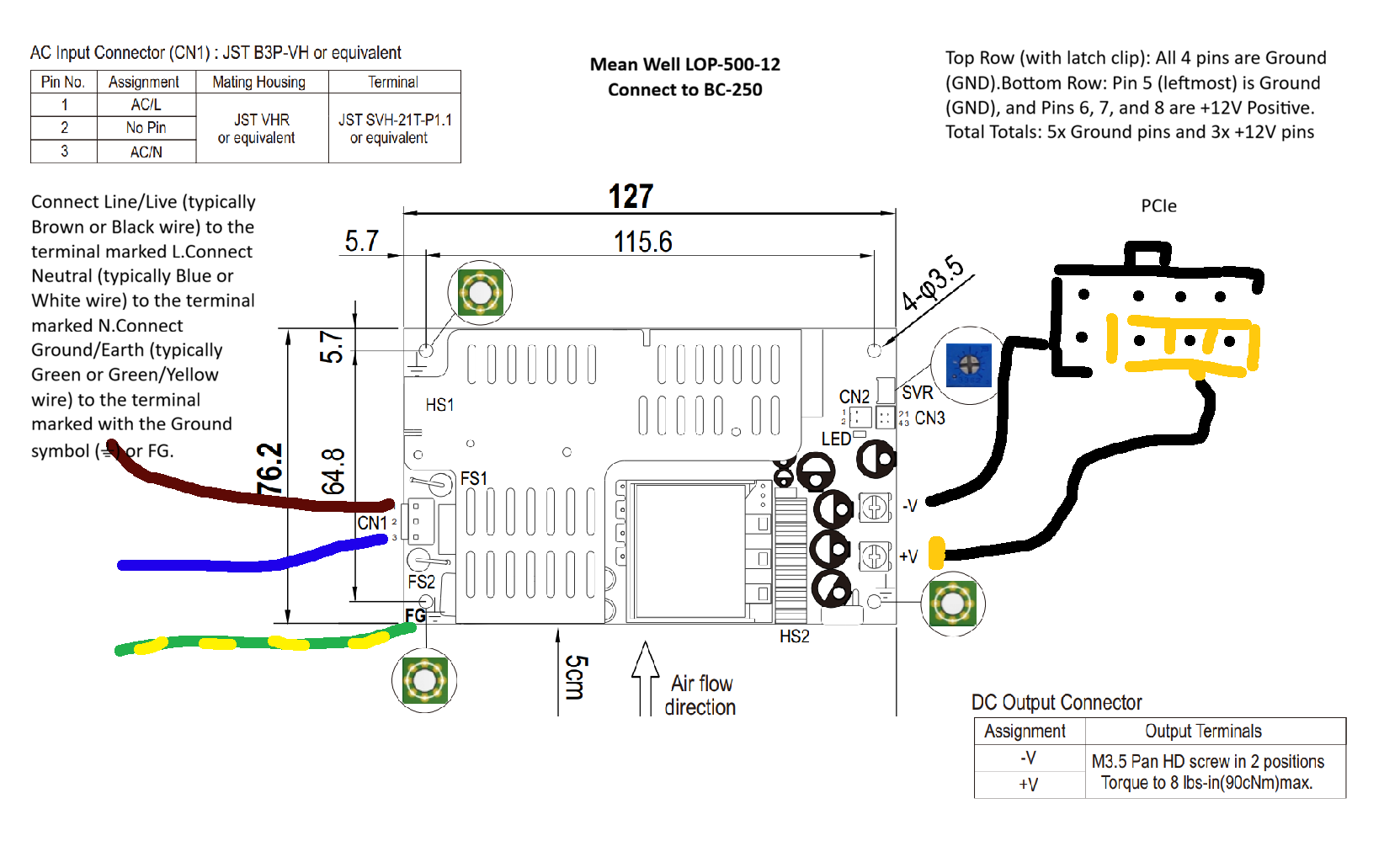
- To make the necesarry adjustments to the PCI extension cable WAGO Connection terminals 221-415 | 5-pin
- To commit changes to BIOS to memory you need the CR2032 battery (20 pack on amazon).
- (Optional) As the Old Lamer also shows, apprearently the PCI-e cable can melt?! He uses Molex Microfit 3.0 43025-0800 8-pin connectors 18 AWG wires (for supplementary CPU/GPU power rails during high-power BIOS targets). You can see the video here
- (Optional) Modded 15-pin SATA Female Connector (12V line + 2x Ground) for powering fan controllers.
2. Streamlined Air Cooling & Thermal Strategy (No AIO Needed)
- Primary APU Cooling: Dual Arctic P12 PWM PST 120mm Fans (mounted directly over the stock BC-250 heatsink; Right = Intake onto APU, Left = Exhaust over NVMe SSD & VRM).
- VRM & Board Cooling: Arctic P8 PST 80mm Fan (mounted directly over hot VRM MOSFETs & power circuits).
- Thermal Interfaces & Heatsinks: (note: optional if you use fan on top and bottom)
- APU Die: PTM 7950 Phase-Change Thermal Pad (replaces factory thermal paste for long-term stability).
- VRM & VRAM Array: GeeekPi 102pcs Heatsink Kit with conductive thermal tape applied to VRM MOSFETs, inductors, and rear GDDR6 VRAM chips.
- Direct Motherboard PWM Daisy-Chaining: All Arctic PST fans daisy-chain together directly into the BC-250's single 4-pin CPU PWM header, eliminating the need for liquid pumps, AIO brackets, or external fan controllers.
3. Storage, Connectivity & Active Video Output
- Storage: 1TB M.2 NVMe PCIe Gen 3/4 SSD.
- USB Expansion: Anker 4-Port USB 3.0 Slim Hub.
- Active Display Adapter (Critical Hardware Requirement): Delock Active DisplayPort 1.4 to HDMI 8K Adapter with HDR (Delock 63938 / active DP1.4 to HDMI 2.1 converter).
- Important Note on Ports: The BC-250 outputs video strictly through its physical DisplayPort 1.4 port and does not support USB-C DisplayPort Alt Mode. A USB-C adapter will yield zero display output. An active DP 1.4 to HDMI 2.1 protocol converter is strictly mandatory for connecting to HDMI-only 4K OLED TVs.
- Recommended Display & TV Settings (e.g. 77" Samsung QE77S95D 4K QD-OLED TV):
- Cabling: Certified Ultra High Speed HDMI 2.1 cable connecting the Delock active converter to the TV's HDMI 2.1 port.
- TV Configuration: Enable Input Signal Plus (or Game Mode) on the Samsung TV for the designated HDMI input.
- Bazzite OS Settings: Configure display resolution to 3840×2160, enable HDR10, and select 60Hz (or 120Hz with Mesa RADV Display Stream Compression).
- Wireless Connectivity & Controller Adapters:
- Wi-Fi 6 Adapter: USB Wi-Fi 6 (MediaTek MT7921AU Linux native).
- Bluetooth 5.3 Controller Adapter: UGREEN USB Bluetooth 5.3 Adapter (B0BXF13GB7 / Realtek RTL8761BUV chipset).
- PS5 Controller & Linux Compatibility: Works natively out-of-the-box under Bazzite Linux / SteamOS via Sony's official
hid-playstationkernel module. Supports multi-controller pairing (up to 4 PS5 DualSense gamepads simultaneously) with touchpad navigation, motion gyro aiming, and haptic rumble in Steam Gaming Mode. - Pro Tip for Low Latency: Plug the Bluetooth dongle into a short USB extension cable (or USB 2.0 port) away from high-speed USB 3.0 SSD drives or hubs to avoid 2.4GHz RF interference for lag-free couch gaming.
4. Remote Control & Power-On Mods
- Wireless PS5 Controller Power-On Mod (Planned):
- ESP32 2-Channel Power Supply Relay Module (DC 5-30V with Wi-Fi & Bluetooth BLE).
- CP2102 USB-A/C to Serial UART TTL Interface Board.
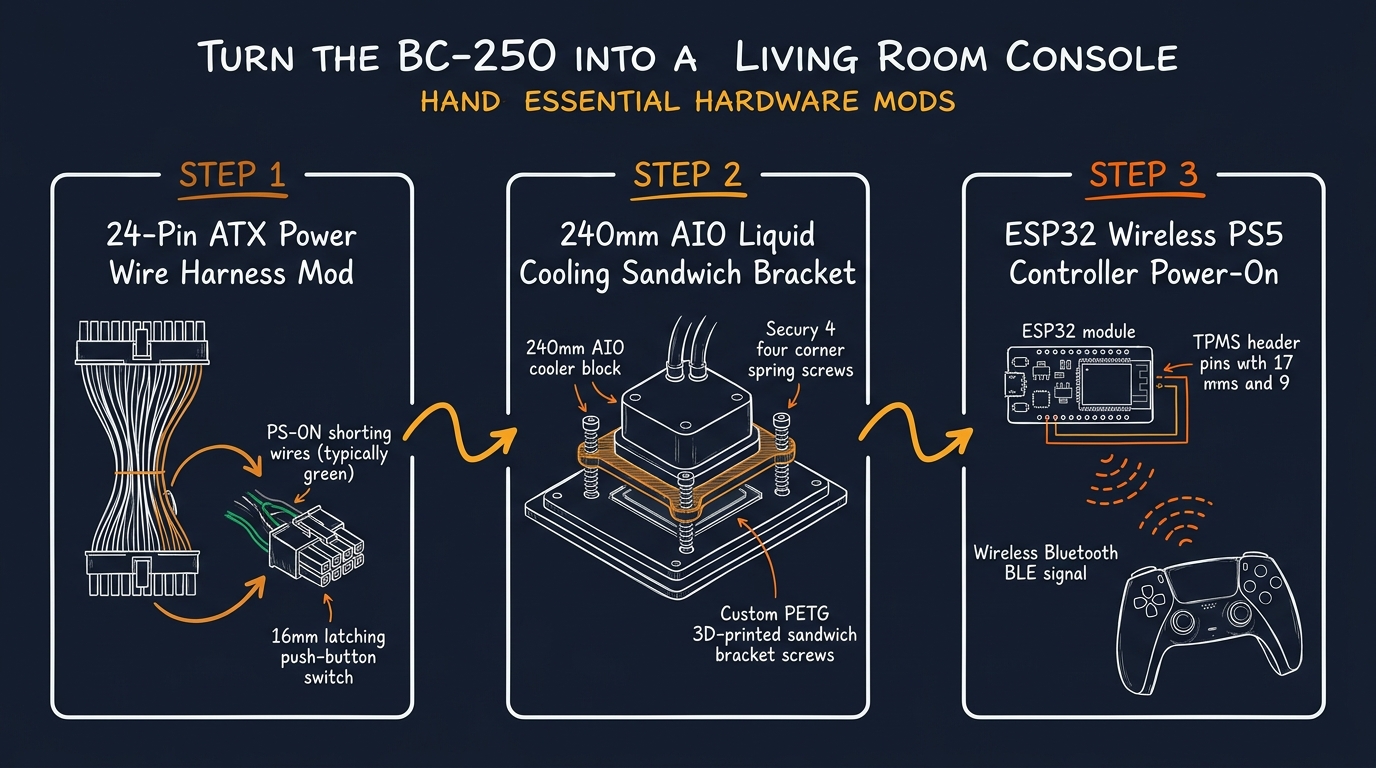
- Concept: Listens for PS5 DualSense controller Bluetooth pairing signals (pressing the PS button) to fire the relay across TPMS header pins 17 & 9, powering on the console wirelessly from the couch.
3. The Hardware Modification Roadmap
Converting an industrial server card into a living room console involves three essential hardware modifications:
❄️ 1. Streamlined Air Cooling & Thermal Preparation
Rather than adding the complexity, pump maintenance, and custom mounting brackets of a 240mm AIO liquid loop, a streamlined air-cooling strategy keeps the build simple and reliable:- Thermal Interface Upgrade: Replace crusty factory paste with a PTM 7950 phase-change thermal pad on the APU die, and apply the GeeekPi heatsink kit with thermal tape across VRM MOSFETs and rear GDDR6 VRAM chips.
- Quiet High-Static Pressure Air Cooling: Mount dual Arctic P12 PWM PST 120mm fans directly over the stock BC-250 aluminum heatsink alongside an Arctic P8 PST 80mm VRM fan.
- Zero-Software PST Daisy-Chaining: Daisy-chain all PST fans directly into the BC-250 motherboard's 4-pin CPU PWM header. Because Arctic P12 PST fans operate quietly even at 100% PWM (~1200–1800 RPM), this delivers exceptional thermal performance (~60–68°C under load) with zero liquid pumps or extra controller software.
🖨️ 2. PETG Enclosure & Heat-Set Inserts
- PETG Filament Mandate: Enclosure structures must be printed in PETG (such as the NextGen 3D or Stellar 250 chassis), as PLA softens under ambient BC-250 operational temperatures.
- Heat-Set Threaded Inserts: Heat-seat brass threaded inserts into 3D-printed PETG posts using a soldering iron to ensure reusable mounting threads.
4. The Planned Linux Software Stack
+-----------------------------------------------------------------------+
|                         THE SOFTWARE STACK                            |
|                                                                       |
|   [ Steam Gaming Mode UI ]  <--->  [ EmuDeck / EmulationStation ]     |
|                                                                       |
|   [ Oberon GPU Governor  ]  <--->  [ Linux Kernel (Vulkan / Proton) ] |
+-----------------------------------------------------------------------+
1. Bazzite OS (Deck Edition)
I plan to deploy Bazzite OS, booting directly into Steam Gaming Mode for a seamless TV interface.2. BC250 Control Center & Async Compute Patch
Using the BC250 Control Center GUI by movacx:- Tuning: CPU overclocking (up to 3.85 GHz), GPU clock locking (2.0 GHz), and custom VRAM allocation (10GB–12GB).
- GFX1013 Async Compute Patch: Applying the community GFX1013 patch (DryhoppedIPA/bc250-gfx1013-fix) fixes compute queue bottlenecks, unlocking up to +20% higher FPS in titles like Cyberpunk 2077.
3. Thermal Tracking via OpenLinkHub
Fan curves for the Corsair Commander Duo will be managed under Bazzite via OpenLinkHub.4. EmuDeck Integration
EmuDeck will handle retro emulation configuration, indexing ROMs directly into Steam Gaming Mode.5. Targeted Performance & Emulation Expectations
Based on community testing benchmarks, here is the target performance baseline for the completed system:
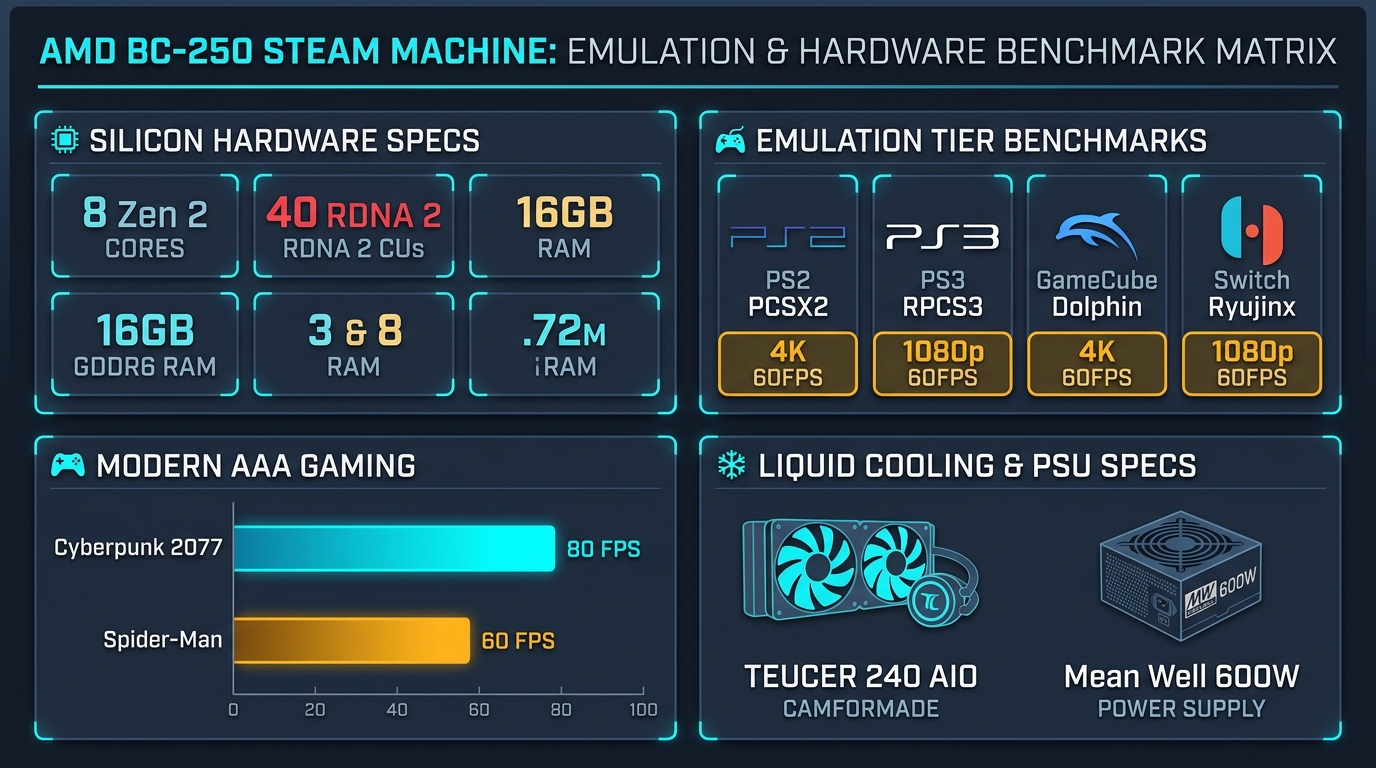
[ Tier 1: NES / SNES / PS1 / N64 / Arcade ] -->  FLAWLESS (4K Upscaled + CRT Royale Shaders)
[ Tier 2: PS2 (PCSX2) & GameCube/Wii ]      -->  FLAWLESS (3x-4x Native 1080p/4K 60FPS)
[ Tier 3: PS3 (RPCS3) ]                    -->  GREAT (Demon's Souls, Persona 5 @ 30-60FPS)
[ Tier 4: Nintendo Switch (Ryujinx/Yuzu) ]  -->  SOLID (Mario Odyssey, Mario Kart 8 @ Docked 60FPS)
[ Modern AAA PC Gaming ] --> IMPRESSIVE (Cyberpunk 2077, Spider-Man @ 1080p 60FPS)- PS2 & GameCube/Wii: 3x–4x native resolution upscaling at 60 FPS (Gran Turismo 4, F-Zero GX).
- PS3 (RPCS3): 30–60 FPS in CPU-demanding titles (Demon's Souls, Persona 5).
- Nintendo Switch (Eden): 'Docked' 1080p 60 FPS in Vulkan API (Super Mario Odyssey).
- AAA PC Gaming Target: 1080p 60 FPS in Cyberpunk 2077 (High settings + FSR Quality) and Marvel's Spider-Man Remastered.
6. Next Steps: Physical Assembly Phase
With component sourcing complete and cooling modifications planned, the next phase will be physical assembly, 3D printing the PETG enclosure, and initial OS deployment.
I will document the assembly, thermal testing, and real-world gaming benchmarks in an upcoming follow-up log.