Buttoning Up the AMD BC-250: 3D-Printed Case, 32-CU Silicon Tuning, and What's Left
Original Source & Credits
- Hardware Platform: ASRock AMD BC-250 (Cyan Skillfish / PlayStation 5 Oberon APU, 32 Active CUs, 16 GB Unified GDDR6)
- 3D-Printed Chassis Model: BC-250 Case (Internal PSU + 2x 140mm Fans) on Printables
- Operating System: Bazzite Linux 44 (
7.2.8-ogcgaming kernel, Mesa RADVGFX1013+bc250-async-compute)
TL;DR
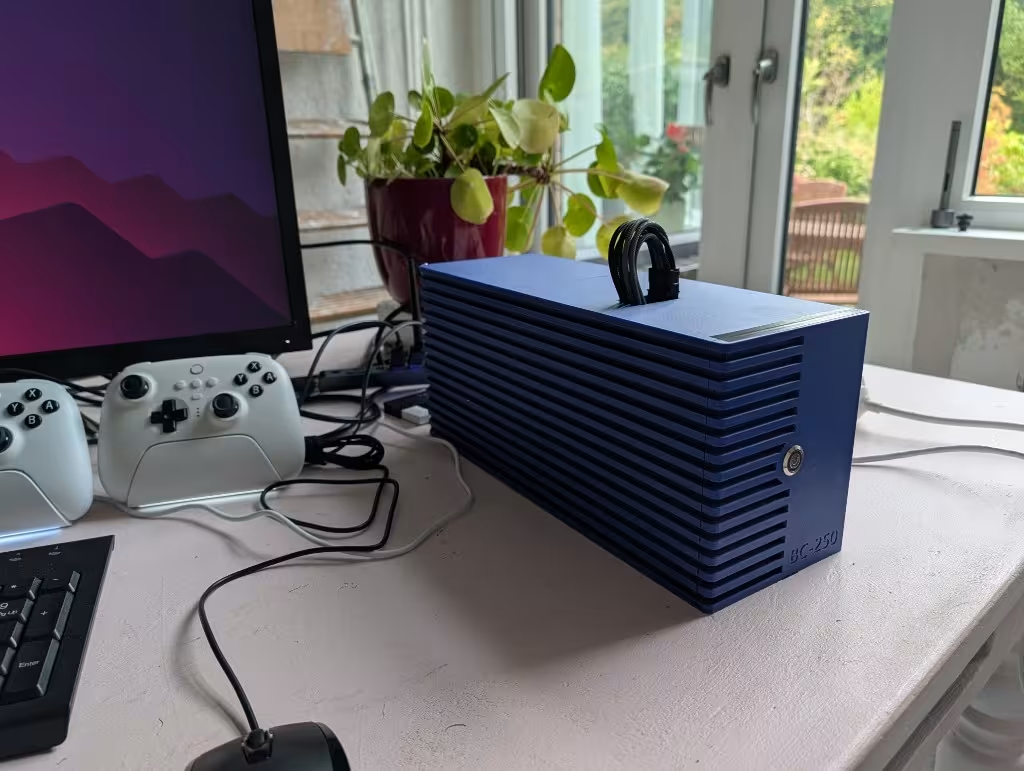
- Off the Test Bench: The bare BC-250 mining blade and open-frame Mean Well LOP-500-12 power supply are finally enclosed inside a custom 3D-printed blue chassis with dual 140mm intake fans and concealed WAGO 221-415 12V wiring.
- Dialed-In Silicon (32 CUs & 1500 MHz @ 900 mV): Unlocked from the factory 24 CUs to 32 healthy RDNA 2 Compute Units (
0x0f,0x0f,0x0f,0x0f) while keeping defectiveWGP4masked off, paired with a stable 500–1500 MHz @ 900 mV GPU ceiling and 3550 MHz @ 1050 mV CPU profile. - Software Complete: Emulators (via EmuDeck / EmulationStation-DE) and heavy PC AAA games (Cyberpunk 2077, GTA V, Path of Exile 2) are installed and running smoothly backed by a 16 GB Btrfs No-COW NVMe swapfile.
- The Remaining Punch List: Bluetooth controller performance proved disappointing (solved by moving the controllers onto dedicated 2.4 GHz USB dongles), the front-panel power switch still needs to be wired to the board header, and HDR color output needs fine-tuning to tame oversaturation.
1. From Open-Bench Spaghetti to a Real Console Box
Up until this week, the AMD BC-250 build lived as an exposed science experiment: a server heatsink, an open-frame 500W 12V industrial power supply, and WAGO lever blocks sitting out in the open. That setup was fine for probing voltages and testing thermals, but not something you want sitting permanently under a monitor or TV.
I had the community BC-250 internal-PSU enclosure 3D-printed in matte blue, and all the internal wiring is now tucked inside the shell.
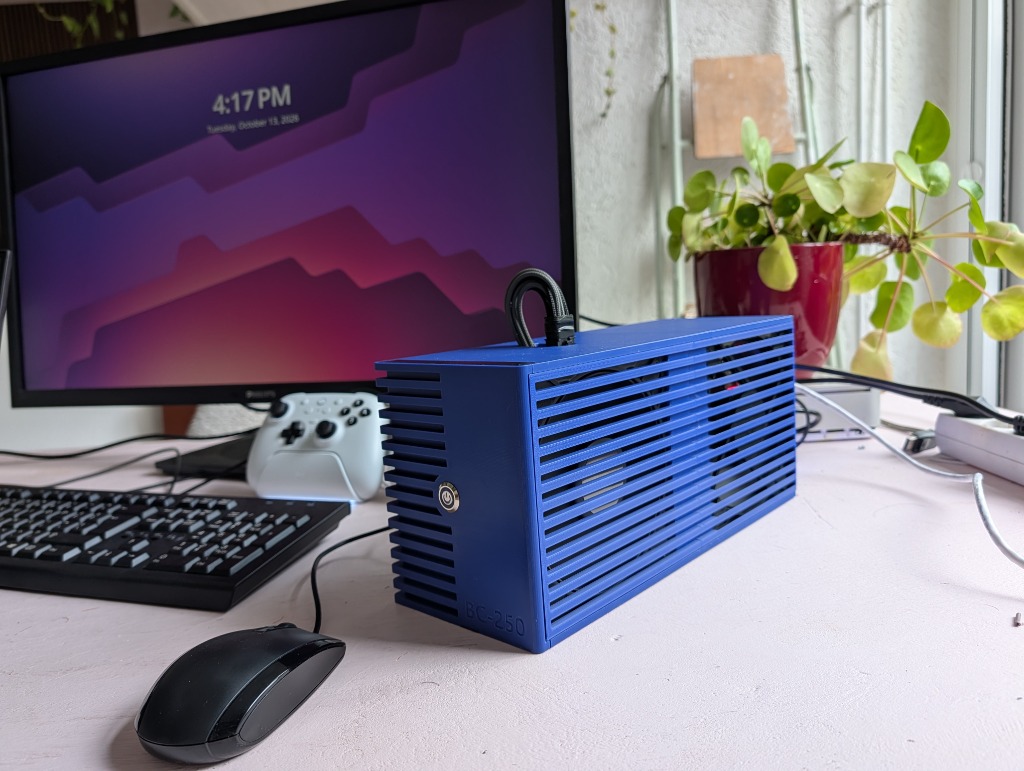
Photo: Left-side intake grill of the 3D-printed blue BC-250 case, housing dual 140mm fans directly over the heatsink and internal Mean Well 12V PSU.
Everything that used to sit loose on the desk now fits inside a single brick:
- Concealed 12V Power Harness: The Mean Well LOP-500-12 open-frame PSU mounts inside the lower bay alongside the WAGO 221-415 distribution blocks. Only the braided 8-pin PCIe power lead loops through the top service cutout into the motherboard's top edge connector.
- Dual 140mm Cross-Flow Cooling: Two 140mm fans sit right behind the slatted side grill, pushing a wide wall of low-RPM air across both the main aluminum APU fin stack and the VRM/GDDR6 thermal pads.
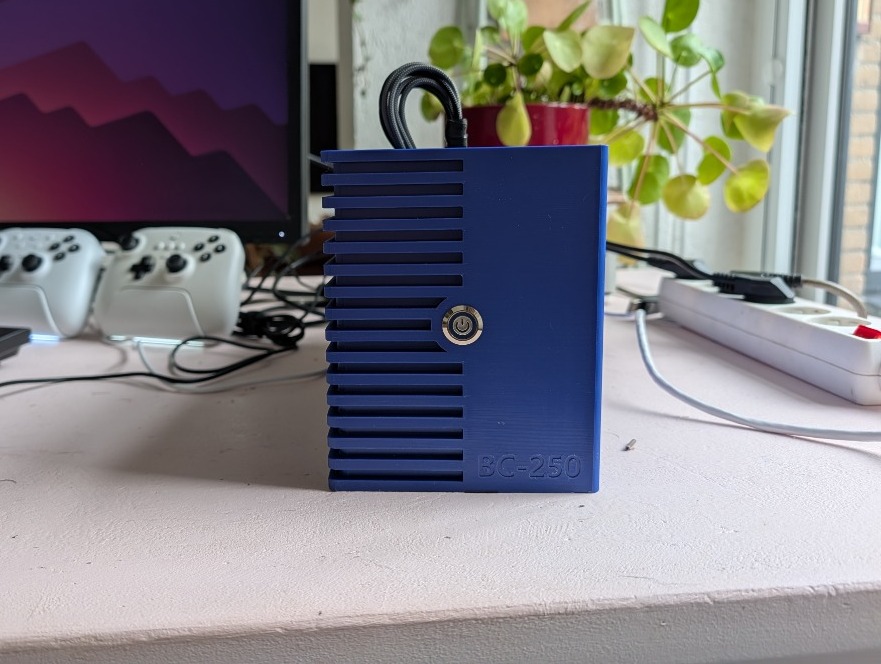
Photo: Front faceplate featuring the half-slatted exhaust/intake louvers, embossed BC-250 badge, and the 12mm stainless vandal switch.
2. Dialing In the Silicon: 32 CUs and Safe Voltage Ceilings
With the physical build buttoned up, I finalized the kernel, SMU governor, and memory settings so the machine runs as a turn-key appliance without random reboots or Vulkan hangs.
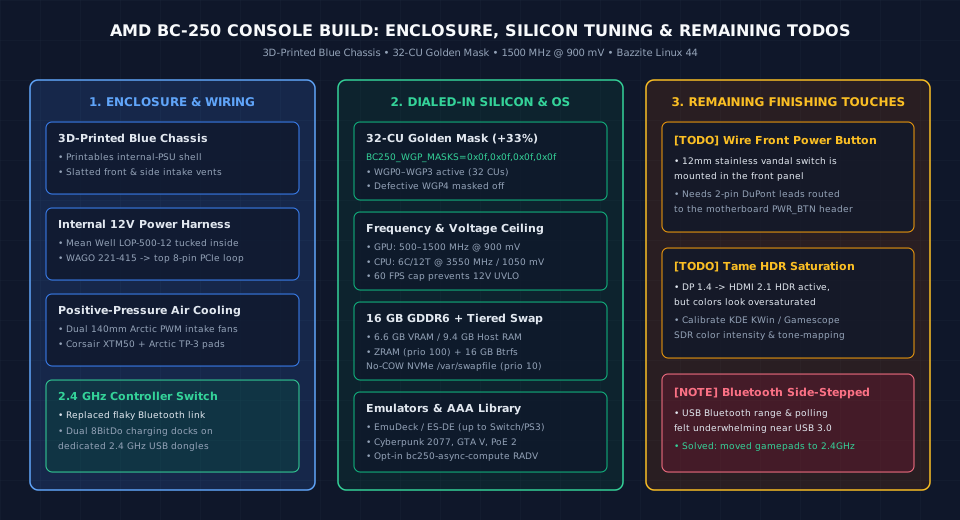
Overview of the finalized BC-250 hardware/software stack and the three remaining items on the finishing checklist.
Unlocking 32 Compute Units (0x0f,0x0f,0x0f,0x0f)
The physical PlayStation 5 Oberon die carries 40 RDNA 2 Compute Units (20 Workgroup Processors), while factory BC-250 mining firmware locks the board down to 24 CUs (WGP0–WGP2).
Attempting to unlock all 40 CUs (0x1f,0x1f,0x1f,0x1f) is a trap: WGP4 (CUs 8–9) contains the physically defective silicon that caused these dies to be binned out of retail PS5 production, leading to immediate Vulkan shader corruption and black screens. Setting /etc/bc250-cu-live-manager.conf to mask off WGP4 while enabling WGP0–WGP3 across all four shader arrays hits the sweet spot:
BC250_WGP_MASKS=0x0f,0x0f,0x0f,0x0fThat gives 32 active Compute Units (+33% over stock) with zero artifacting.
Frequency, Voltage, and Tiered Swap
To keep transient current spikes on the 12V rail from tripping the power supply's under-voltage lockout (UVLO) during heavy gaming loads, the clock and memory boundaries are locked in:| Subsystem | Dialed-In Configuration | Why It Works |
|---|---|---|
| GPU Clock & Voltage | 500 – 1500 MHz @ 900 mV | Avoids the fragile 1850 MHz Vdroop zone; keeps thermals in the low 60s °C |
| CPU Clock & Voltage | 6C / 12T @ 3550 MHz, 1050 mV | Plenty of Zen 2 headroom for RPCS3, Switch emulation, and DX12 streaming threads |
| Unified GDDR6 Split | 6.6 GB VRAM / 9.4 GB Host RAM | Enough dedicated VRAM for modern AAA textures without starving Linux userspace |
| Tiered Virtual Memory | ZRAM (prio 100) + 16 GB Btrfs /var/swapfile (prio 10) |
Prevents OOM kills when Proton + VKD3D shader caches exceed 9.4 GB host RAM |
| Framerate Target | 60 FPS Cap | Smooth frame pacing and predictable 12V power draw |
3. The Honest Punch List: What Still Needs Work
While the console is up and running daily, a DIY hardware project is never completely done on day one. Three practical quirks came up during real-world testing:
1. Bluetooth Was Underwhelming (Switched to 2.4 GHz Dongles)
Initially, I planned to run the wireless controllers over Bluetooth. In practice, Bluetooth performance on the BC-250 was disappointing—between USB 3.0 2.4 GHz RF noise near the rear I/O ports and inconsistent polling latency, input felt noticeably spongy from a few meters away.The Fix: I ditched Bluetooth for the gamepads and switched both white controllers over to their dedicated 2.4 GHz wireless USB dongles built into their charging docks. Input response is now immediate, wake-from-dock works every time, and there are zero dropped packets.
2. The Front Power Button Still Needs Wiring
The stainless-steel momentary power switch is physically mounted in the center of the blue front panel, and it looks the part—but right now it's purely cosmetic. I still need to crimp and route the 2-pin leads from the back of the switch to the BC-250's front-panel power header on the PCB. Until I pop the lid back off to wire that up, the board boots automatically via BIOSRestore on AC/Power Loss as soon as the power strip is flipped on.